


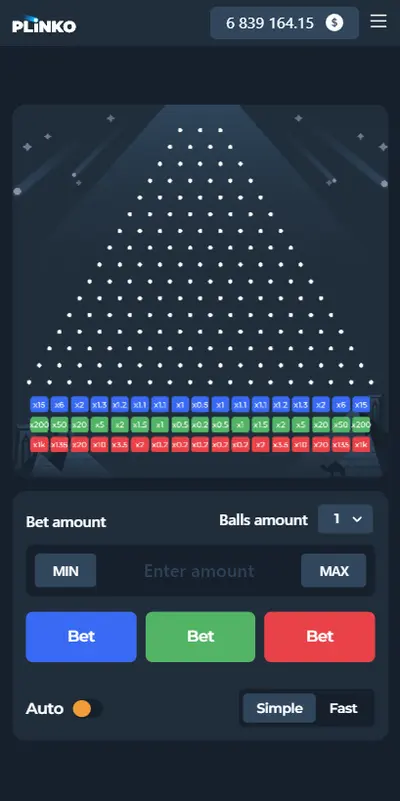
The Plinko app: how to download the official APK for Android and iOS
More than 75% of users in Ukraine play gambling games on smartphones and tablets. The mobile format is a perfect match for the pace of fast games: a session lasts from a few seconds to a few minutes, and dropping the ball with a single tap on the touchscreen feels far more in control than clicking a mouse. That is why the Plinko mobile app has become one of the most popular search queries among gamblers.
Because the game is so popular, however, hundreds of fakes have appeared in the official app stores. Users often try to download Plinko for real money via Google Play or the App Store and end up with promotional simulators that never pay out real money. In this guide we explain in detail how to safely download the original Plinko emulator to any device, set up the PWA web app and avoid fraudulent software.
plinkoplay.com.ua explains the rules and maths of the game but is not a casino itself: no accounts are opened here, no money is deposited and no winnings are paid. Some links lead to online casinos on affiliate terms. Real-money betting is allowed from age 21 and only with operators licensed by PlayCity.
Where to download the official Plinko game: Google Play, the App Store or the casino website?
The main rule every player should remember: a standalone Plinko slot as a separate program for winning money does not exist in the App Store or Google Play. Providers develop their software exclusively for licensed operators, so a legal slot machine always runs within a casino platform.
Marketplace searches often turn up apps with catchy names such as «Plinko Cash App» or «Plinko Lucky Drops». Most of them are a classic scam:
- Fake balance: these apps credit the player with hundreds of virtual dollars for every click, creating the illusion of quick riches.
- No way to withdraw: when it comes to a payout, the app demands that you watch dozens of ads or pay a "wallet activation fee".
- Harvesting private data: uncertified software can collect passwords and payment details from your smartphone.
The original real-money Plinko app game is available in only two legal formats: through the official app of a licensed Ukrainian casino or through a progressive web app (PWA) in a mobile browser.
How to download and install the Plinko APK on Android
The Android operating system supports installing programs directly from a Plinko apk installation file. Since Google Play's store policy strictly restricts real-money gambling apps in some regions, licensed casinos offer a safe download of the installer straight from their official website.
Step-by-step installation guide:
- Go to the casino's official website: open the site of your chosen licensed operator in your smartphone's browser.
- Find the apps section: the "Download for Android" link is usually in the site footer or in the top notification bar.
- Allow downloads from external sources: in your phone's security settings (the "Security" or "Apps" section), temporarily enable installation from unknown sources for your browser.
- Run the downloaded APK file: open your downloads and tap the "Install" button.
- Open the simulator: launch the installed casino app, log in and type the name of the Plinko slot into the search bar.
Installing the Plinko slot on iOS (iPhone / iPad): the PWA format
For owners of Apple devices, the App Store moderation policy is even stricter. Although some licensed casinos are listed in the official store, the simplest, fastest and most reliable solution for mobile play is Progressive Web App (PWA) technology.
A PWA places a full-fledged game icon right on your iPhone's home screen and runs without glitches or blocks and without using up extra smartphone storage.
How to add a shortcut to the Home Screen:
- Open the Safari mobile browser on your iPhone.
- Go to the Plinko game page on the official website of a trusted casino.
- Tap the "Share" button (the square with an upward arrow in the middle of Safari's bottom menu).
- In the list of options, select "Add to Home Screen".
- Confirm by tapping "Add".
The slot machine will now launch with one tap in full-screen mode without any extra browser bars, just like a native mobile app.
Mobile app vs browser version: a comparison
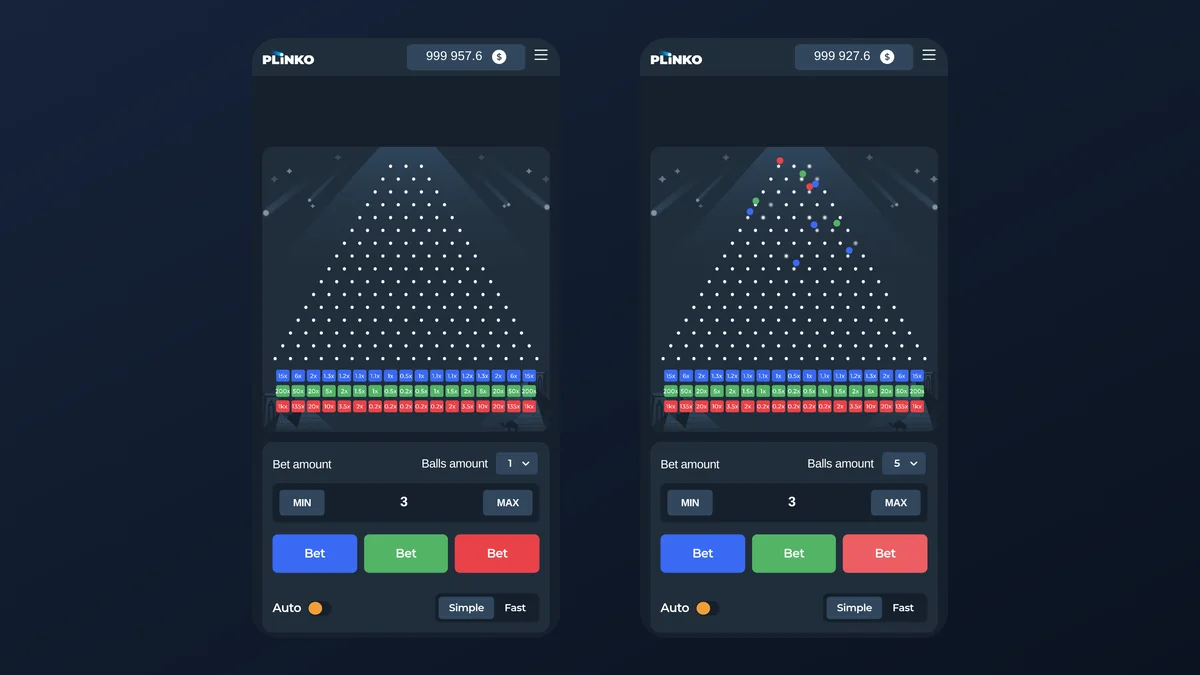
Players are often unsure whether to install the Plinko app on their smartphone or simply launch the slot in an ordinary mobile browser. Both options have their advantages:
| Feature | Official mobile app (APK / iOS) | Mobile browser version (HTML5) |
|---|---|---|
| Loading speed | Maximum (graphics are stored on the device) | Depends on the stability of the internet connection |
| Storage use | Needs 50–150 MB of phone storage | Takes up no physical space in the smartphone's storage |
| Push notifications | Alerts about new bonuses and free spins | Notifications are usually turned off |
| Stability on weak 4G | Highly stable ball drops | Possible animation lag when the network drops out |
| App updates | The client needs updating from time to time | Always the latest software version automatically |
System requirements and device optimisation
Thanks to the excellent optimisation by modern providers (InOut Games, BGaming, Spribe), the Plinko slot machine runs smoothly even on budget smartphones. The main technical requirements for comfortable play:
- Operating system: Android 7.0 or later / iOS 12.0 or later.
- Memory (RAM): at least 2 GB (3 GB recommended for smooth Multi-Drop animation).
- Browser support: Google Chrome, Safari, Mozilla Firefox, Opera with WebGL enabled.
- Internet speed: a stable connection of 1 Mbps or more (3G, 4G, 5G or Wi-Fi).
Mobile betting security: how to avoid scammers
To protect your money and personal data when playing at a mobile casino on your smartphone, follow a few basic recommendations:
- Never download "hacked" mods: modified files (Plinko mod apk) that supposedly guarantee the ball will land in the x1000 edge pockets actually contain malware designed to steal bank card details.
- Try the game in demo first: before playing for money, launch the free Plinko Demo mode on your smartphone to see how smoothly the interface runs on your device.
- Read real reviews: check out our Plinko reviews on whether the machine pays out and how to withdraw money to a card in Ukraine without fees or blocks.
For a deeper look at the maths of winning, the law of normal distribution and the cryptographic fairness protocol, see our in-depth guide: read the detailed overview of the Plinko online game.
FAQ: frequently asked questions about the Plinko mobile app
Can you download the Plinko game on its own, without a casino?
The original real-money versions of the Plinko slot are not distributed separately. They are available only through the official apps of licensed casinos or the mobile web version.
Where can you find a safe Plinko apk file for Android?
Download the installation file only from trusted websites of Ukrainian casinos holding a state PlayCity licence. Avoid pirate sites offering APK files.
Is it safe to enter payment details in the mobile app?
Yes, the official clients of legal casinos use 256-bit SSL encryption and direct bank acquiring gateways (Apple Pay, Google Pay, Visa, Mastercard).
What happens if the connection drops while the ball is in flight?
The outcome of every Plinko round is determined on the server instantly at the moment the ball is dropped, using the Provably Fair algorithm. Even if the internet goes down during the drop animation, the win will be credited to your account balance automatically.